How to Buy

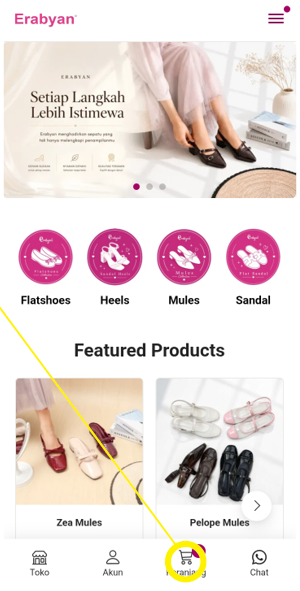
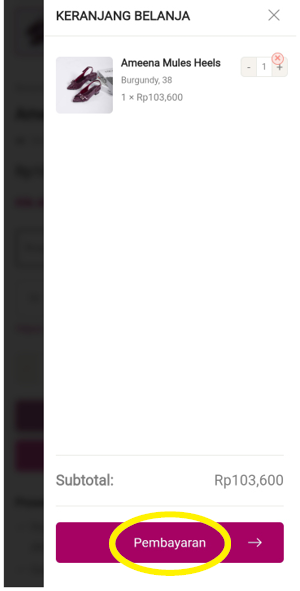
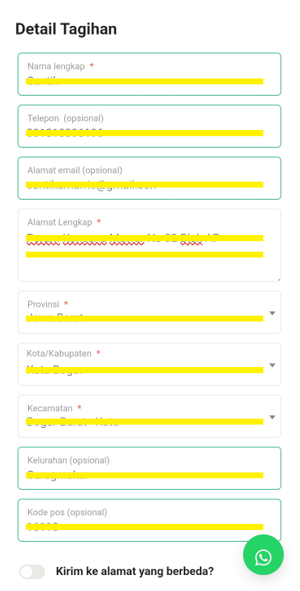
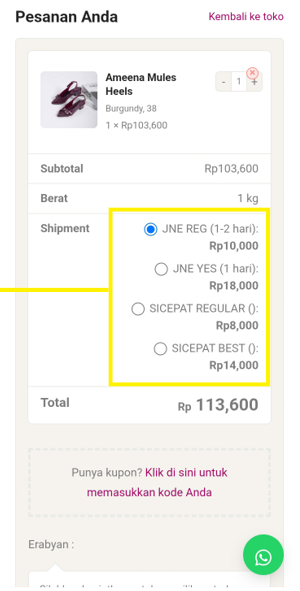
Melakukan pemesanan di Erabyan.com
Payment Details

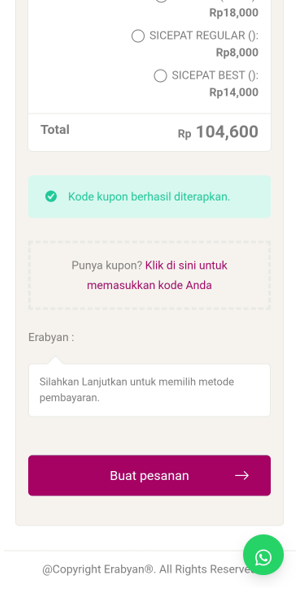
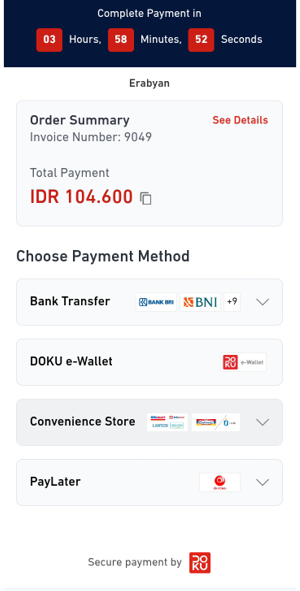
vWe have six payment options available to ease your payment process, such as QRIS, Virtual Account, Akulaku, OVO, Alfamart, and Debit/Credit Card. Each payment method has its own time limit, so after you press the “Order Sekarang” button, we suggest completing the payment immediately.

Payment With QRIS

  • Select QRIS as your payment method.
  • Click “Order Sekarang” to proceed.
  • QR code will appear on your screen.
  • Open your e-wallet or mobile banking app that supports QRIS.
  • Scan the QR code and confirm the payment amount.
  • Complete the payment within the given time limit.
  • Once the payment is successful, your order will be automatically processed.
  • Orders will be canceled automatically if payment is not completed within the time limit

Payment With Virtual Account

  • Select Virtual Account as your payment method.
  • Choose the Virtual Account bank you want to use.
  • Click “Order Sekarang” to proceed.
  • Your Virtual Account number will be displayed.
  • Complete the payment via ATM, mobile banking, or internet banking.
  • Enter the Virtual Account number and confirm the payment amount.
  • Complete the payment within the given time limit.
  • Once the payment is successful, your order will be automatically confirmed.
  • Orders will be canceled automatically if payment is not completed within the time limit

For more inquiries, you can go to our FAQ page or contact us directly  via WhatsApp

Keranjang belanja

Tidak ada produk di keranjang.

Kembali ke toko
×

Erabyan

Selamat datang di Erabyan.

Selamat datang, ada yang bisa Saya bantu ?